PhotoBundle: A universal photo container?
I take a lot of pictures on my camera, and usually in “RAW+JPEG mode”, i.e. each push of the shutter generates two pictures:
- A JPEG image processed by the camera, good for sharing straight off the camera; and
- A RAW file, a file closer to the raw sensor data, used for editing because of its higher fidelity.
These are stored in two separate files on disk, and in typical professional workflows, the RAW file is seen as the “real” file with the JPEG good for early preview. This provides the upside that you probably don’t want or need both files for all shots, and as separate files you can just delete one or the other. The downside is if you’re more of a fan of the library metaphor for photo management1 you’re now starting with double the number of files that you originally wanted. I wanted to explore whether there is a middle ground, one file that could provide the benefits of both formats; and once this exists, how could this metaphor be used for different kinds of photography.
Those that are aware of the DNG (Digital Negative) file format are probably screaming that DNG files already contain “an embedded JPEG” for quick preview - I’m thinking something less embedded and more “intertwined”, a superset of all useful functionality for this and more. If the difference isn’t clear yet, hopefully it will be soon.
This post doesn’t attempt to define a full formal specification for this file format; nor am I likely to build a library to generate or parse this format. It is more an exploration of the space from my own needs. Who knows, maybe I end up reinventing DNG or Apple’s ProRAW from first principles. Also, obligatory xkcd 927 reference.
Defining Terms
Since I’m going to bounce back and forth between today’s two-file approach and my proposed scheme, I feel a need to define a few terms so I can switch between the two without getting lost:
- Display-ready frame: The final image in some standard encoding that can be processed by an image viewer, either off-camera or post-editing. The exact encoding scheme doesn’t matter, so could be a JPEG bitstream, an HEVC I-frame/keyframe, etc.
- Raw frame: The encoding of the higher-fidelity camera raw data. Likely to be camera specific, and likely almost exactly the same as the camera raw data today.
- Photo: The outputs from one capture of a camera sensor.
- Event: The collection of photos that combine to create one output Display-ready frame. Often is one Photo, but not restricted as such.
- JPEG file: JPEG half from today’s RAW+JPEG pair. Doesn’t necessarily have to be a JPEG, could be HEIC, etc.
- RAW file: RAW half from today’s RAW+JPEG pair.
- PhotoBundle file: A file using this proposed scheme2.
High level idea
Overall, the key idea is replacing the RAW+JPEG file pair with one combined PhotoBundle file which holds all the information from the former files, raw and processed, that relate to one Event. This is not just two files stapled together, but rather some expandable container that holds all the information about one Event: multiple Raw frames, Display-ready frames, and collections of metadata that may be common to these, deduplicating where it makes sense. For example, GPS information only needs storing once rather than in each file.
PhotoBundle files should be straightforward for a camera to generate whilst still being useful when editing. It should also be easy to pull out just the final photograph when that is all you want to share. Tooling will be the key to such a format’s success, not just in native handling but also in moving to and from the formats we have today. Conversion from this format to separate JPEG and existing RAW formats need to be possible. The inverse should also be possible; an existing RAW+JPEG pair should be combinable into one of these files. This must be roundtrippable without any loss in fidelity or information.
In this format, I don’t propose a particular encoding for any of the frames, since this may evolve over time. The only limitation I would suggest is that the Display-ready frame should be encoded in one of a handful of standard encodings. Raw frames I expect will remain manufacturer-specific for the rest of time. Any software parsing these files should skip past the frames that it doesn’t know how to decode.
So how would this play out in practice? Let’s explore a few scenarios.
Simple photos
This is the typical Event, one read of the camera sensor generating one Photo. This is probably the weakest case for PhotoBundle, as the only benefit is the single file container; and in the case where someone captures in “RAW only” is purely neutral.
To contrast, it is when an Event is made up of more than one Photo that things start to change, so let’s explore two common examples.
Auto-exposure bracketing
Note: This section equally applies to other forms of automatic HDR merging, not just explicit AEB camera modes.
The first case where I see PhotoBundle providing an improvement is with auto-exposure bracketing and/or other forms of HDR merging. For those not familiar with this, AEB takes multiple Photos (typically 3 or 5) with different exposures that can be manually merged post-Event to create a photograph with a higher dynamic range than can be captured through a single exposure. On mobile phones, this is typically done automatically and the phone only stores the Display-ready frame, but with dedicated cameras, the net result is more likely multiple RAW+JPEGs that have to be manually collated3 and merged after the Event.
In a PhotoBundle world, the capture would instead generate a single file, which would contain the multiple Raw frames, and optionally the camera-merged Display-ready frame. When editing these are already collated, in their raw form ready to edit. A photo editor could replace (or add a second) Display-ready frame when merged, and add an additional merged Raw frame to the single file. If at some point in the future you want to re-review an image and/or there is a better merging algorithm, you still have all the raw data, and can replace the frames you added to the file.
Of course, this concept is not limited to just images that differ through exposure alone, but any case where multiple Raw frames contribute to a “final Raw frame” which is then edited, for example focus stacking, or panoramas which I will cover separately.
Panoramas
The other case where I take a number of Photos that I want to combine into a single final photograph is when taking panoramas, and I feel this is actually where PhotoBundle could shine most, since there is a case it could store genuinely new information not obtainable through a collection of RAW files.
When travelling, it’s common for me to find a good view, hold my camera on its side and take 20 or 30 pictures that get stitched together when the trip is complete, and the results can be truly brilliant4:
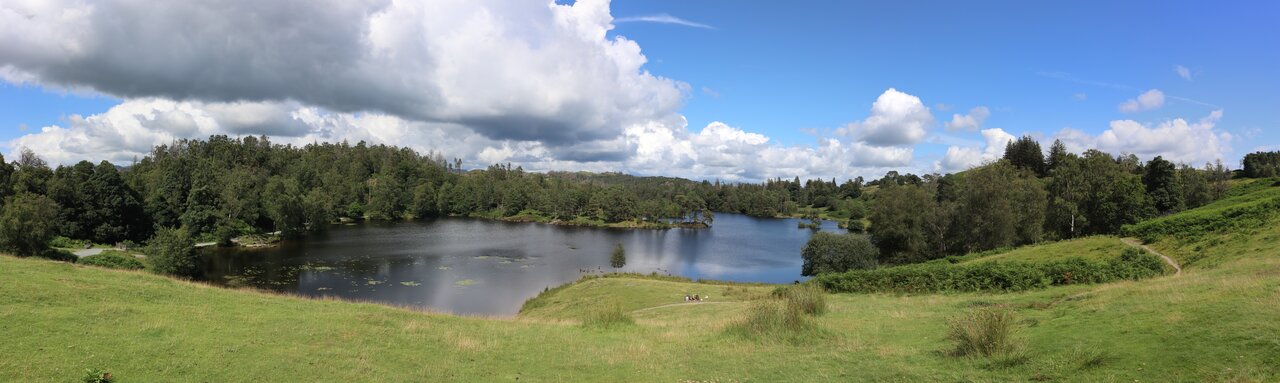
From a file management perspective, taking so many images (especially when creating a couple of panoramas of a single view) adds a bit of extra file management, since I want to isolate each panorama’s source images in case I want to switch which tool I use to merge these in the future. Why might I do this? The big one is water; capturing and stitching multiple independent images is difficult as the wave front will have moved between each image, so having that flexibility is valuable, and storing in one file makes the file management easier.
But I mentioned that maybe we can store additional information between images that may help with the stitching if it were one file. Whilst I’ve never written a photo stitching algorithm, I do wonder whether information from any accelerometers/gyros inside the camera would help produce a better result rather than relying on a purely optical approach. A PhotoBundle file could store this as either frame-specific or at event-level metadata should the camera be running in a panorama capture mode.
Open questions and thoughts
Up to now I’ve tried to keep this a pretty high level design, and as such I’m not prescribing how this format looks on disk, but I think there are obvious design points. I imagine internally this format is a container made up of “layers”, with each layer having a known type and identifier as part of an expandable namespace. For example, there would be standard layers (such as “JPEG-encoded Display-ready frame”), as well as scope for vendor-specific layers (such as “Canon-encoded Raw frame”). Tools handling the format should be able to ignore vendor-specific layers they don’t understand, and produce reasonable results with what can be processed.
For such a format to succeed, it would need buy-in from three main groups: camera manufacturers, photo editing tool designers and web browser vendors (assuming these are stored and shared on the web). There needs to be some central organisation that handles the standard layer definition, but I’m not sure how you balance each group’s needs without the format dying by committee.
Additionally I suspect there would have to be a line drawn somewhere on what is expected to live in-file rather than out-of-file. For example, XMP sidecar(s), should they be included or not - this may depend on whether the format extends to also covering archival purposes, though perhaps this starts suffering from feature creep early on. That’s a tough call.
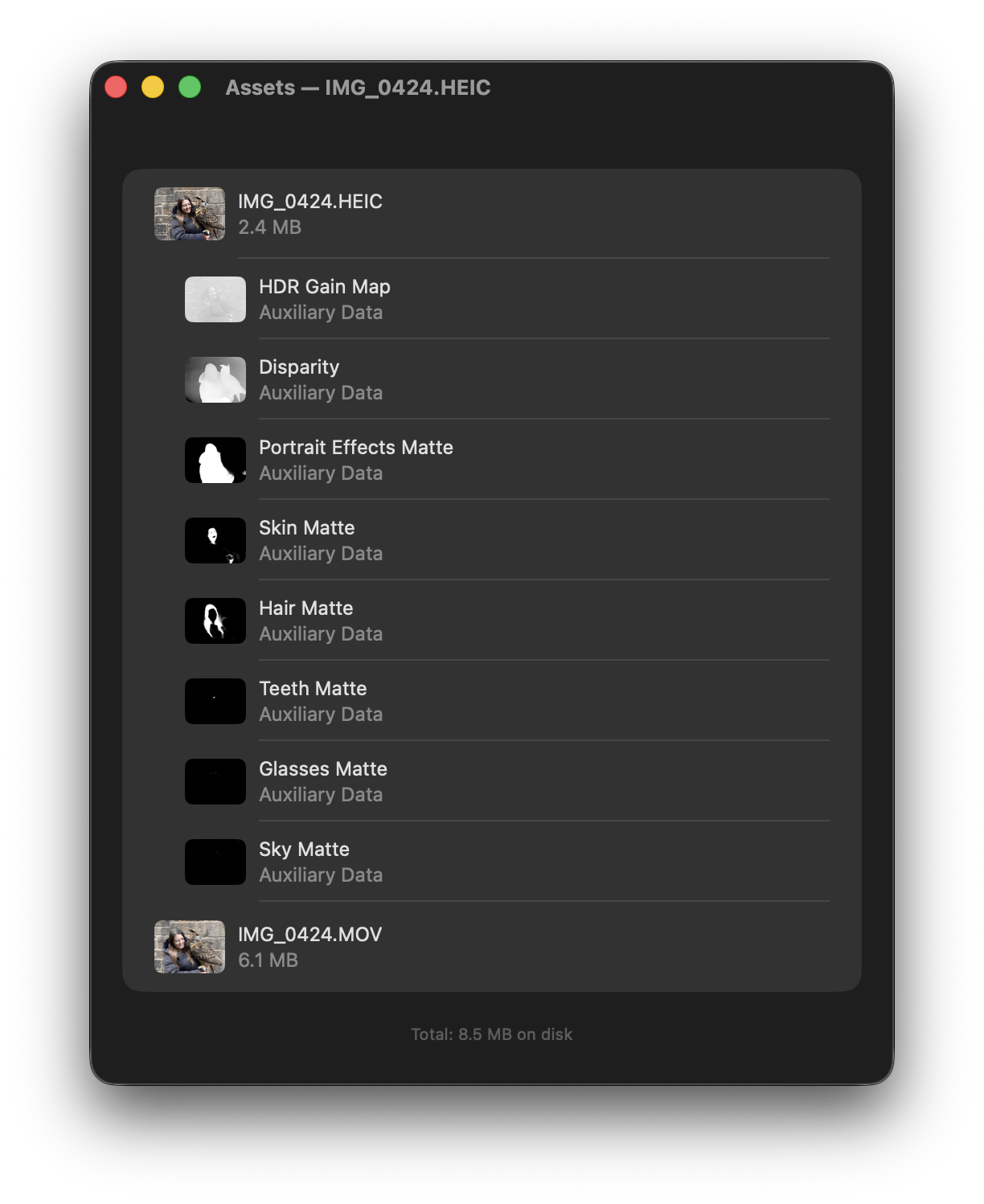
Finally, does this sufficiently cover all the “types of frame” a camera could capture? With modern computational photography, there are all sorts of sub-images that need to be factored in5, and then there are other kinds of cameras, e.g. light field cameras. I expect these could be stored as a different layer type, but this needs considering as part of wider scoping of the format.
I suspect there are other aspects to consider should this file format become a reality, and with more thought this would be refined further. In the meantime, if you have any thoughts, feedback, or wishlist items in this area, I look forward to hearing them.
-
There is a draft of the “library metaphor” vs the “file system metaphor” for photo and edit management in the works, but the short version is whether you store photos as a series of files and rely on file name patterns to track related objects (i.e.
IMG_0001.JPG,IMG_0001.RAWandIMG_0001.xmprefer to the same image), or whether you have some higher level abstraction and then treat IMG_0001 as an image “bundle” and handle this atomically with higher level metadata. If it’s not clear from this proposal, I’m in camp library. ↩ -
I’m not wedded to the name PhotoBundle, just it is a lot easier to describe this when it has a name. ↩
-
Of course, the exposures will be called say IMG_1234, IMG_1235 and IMG_1236 so sorting by name makes this easier, but it’s still an extra step. ↩
-
For the sake of page loading speed, this preview is pretty small, but for scale, the source image is 20349x6096 pixels. ↩
-
As an example, a HEIF taken with my iPhone 16 Pro stores the following layers in addition to the base image: HDR Gain Map, Disparity, Portrait Effects Matte, Skin Matte, Hair Matte, Teeth Matte, Glasses Matte, Sky Matte. If you’re using iOS or macOS, I strongly recommend the app Metapho, as it can show you a lot about what’s stored in your photo library. Here is an example of the layers from one photo from a recent trip. ↩